Ever felt like you’re eighty years old after eight hours at a computer? Many people assume stiffness and discomfort are just part of working long hours at a desk. But constant back pain is not normal and it doesn’t have to happen.
Long workdays don’t have to mean discomfort. By focusing on smart office ergonomics, you can protect your spine and reduce strain on your neck, wrists, and shoulders.
Learning how to sit without lower back pain is not just about buying a new chair. It’s about small adjustments and consistent movement habits that keep your body supported throughout the day.
If you regularly wake up with stiffness or discomfort, you may also want to read our guide explaining why lower back pain is worse in the morning and what helps relieve it.
Small changes today can protect your spine and help you feel better tonight.
Key Takeaways
- Adjust your monitor height so your eyes stay level with the screen
- Keep both feet flat on the floor to stabilize your pelvis
- Use lumbar support to maintain the natural curve of your spine
- Take movement breaks every 30 minutes
- Position your keyboard so wrists stay relaxed
- Stay hydrated to support spinal disc health
Why Sitting Creates Lower Back Pain (And What Your Body Really Needs)
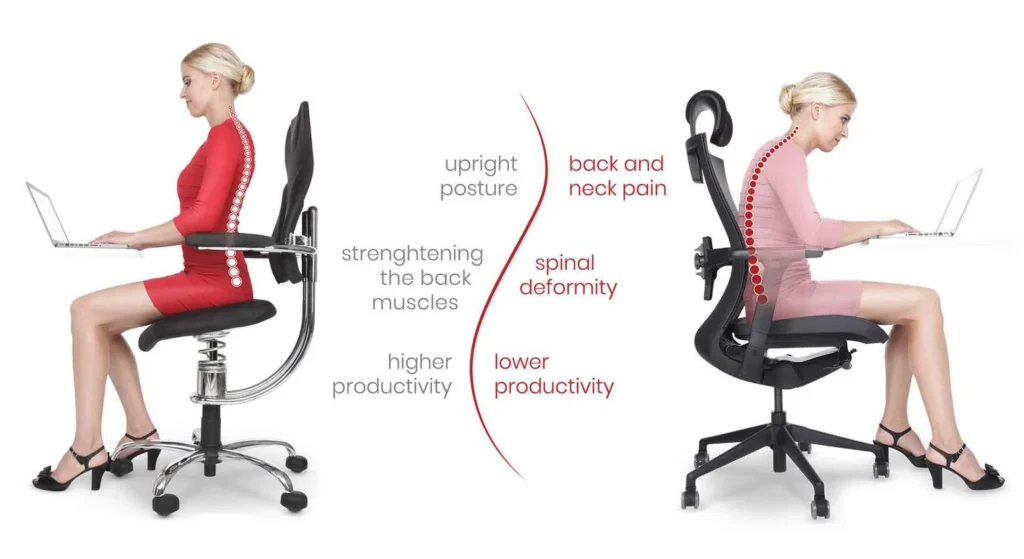
comparison of slouched sitting posture and proper ergonomic sitting posture
Sitting for long periods can put a lot of pressure on the lower back. When we sit incorrectly, our body shifts into positions that increase spinal stress and reduce circulation.
Over time, this can lead to stiffness, muscle fatigue, and persistent discomfort.
How Sitting Position Affects Spinal Pressure
The way we sit directly affects spinal pressure. Slouching stretches the spinal ligaments and places extra pressure on the discs in the lower back.
Proper sitting posture includes:
- Feet flat on the floor or footrest
- Knees level with or slightly below hips
- Back supported by the chair
- Shoulders relaxed
Maintaining this alignment reduces strain and helps keep the spine in a neutral position.
The Role of Muscle Fatigue and Poor Circulation
When we sit for hours without moving, muscles become fatigued. The muscles in the back and legs lose their ability to properly support the body.
At the same time, circulation slows down, which can lead to:
- stiffness
- numbness
- soreness in the lower back
Movement helps restore blood flow and keeps muscles active.
Warning Signs Your Setup Is Hurting Your Back
Watch for these warning signs during the workday:
- persistent lower back stiffness
- numbness or tingling in the legs
- worsening pain as the day goes on
- frequent posture adjustments due to discomfort
Recognizing these signs early allows you to adjust your workspace before pain becomes chronic.
Chair Adjustments That Help You Sit Without Lower Back Pain
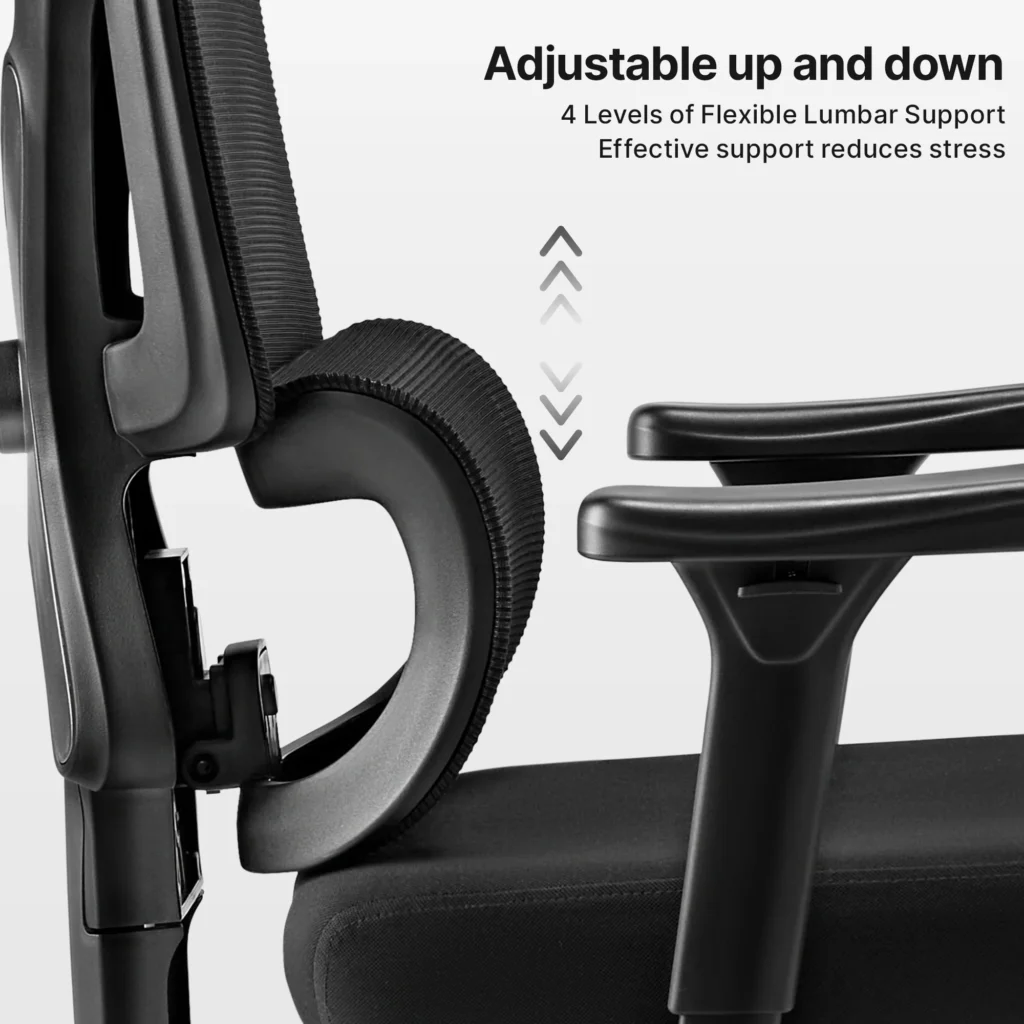
A properly adjusted chair can significantly reduce strain on your lower back.
Adjust Seat Height for Proper Hip and Knee Alignment
Your seat height should allow:
- feet flat on the floor
- knees at or slightly below hip level
- thighs parallel to the floor
This position reduces pressure on the lower spine.
The 90-Degree Rule for Legs
Keeping your legs at a 90-degree angle supports proper alignment.
When your thighs stay parallel to the floor, pressure on the spine is reduced and posture naturally improves.
How Foot Position Affects Lower Back Stress
If your feet dangle or rest unevenly, your pelvis tilts forward or backward. This creates extra strain on the lower back.
A footrest can help maintain proper alignment.
Setting Up Lumbar Support Correctly
Lumbar support helps maintain the natural inward curve of the lower spine.
The support should sit right above your belt line, pressing gently into the lower back.
DIY Lumbar Support Solutions
If your chair does not have built-in support, you can use:
- a rolled towel
- a lumbar pillow
- a small cushion
These simple solutions can dramatically improve posture.
Optimizing Armrest and Seat Depth
Armrests and seat depth play a major role in reducing tension.
Armrest Height
Armrests should allow:
- elbows to rest close to the body
- shoulders to remain relaxed
This prevents neck and shoulder tension.
Seat Depth
There should be a 2-3 inch gap between the seat and the back of your knees to support circulation.
Desk Setup Fixes for Better Lower Back Support
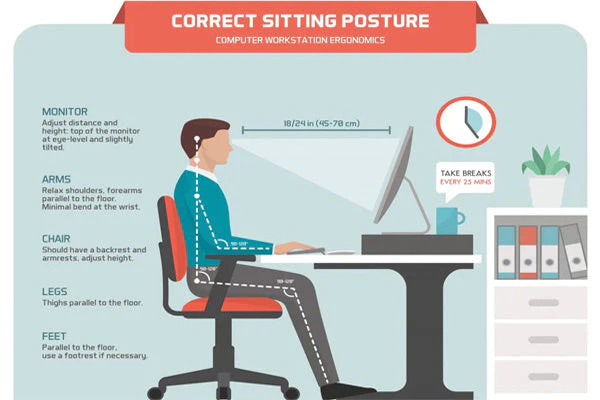
Your desk setup can either support your spine or slowly create back pain.
Positioning Your Monitor Correctly
The monitor should be:
- directly in front of you
- about an arm’s length away
- slightly below eye level
This prevents leaning forward and keeps the spine neutral.
Keyboard and Mouse Ergonomics
Place your keyboard so your elbows remain at 90 degrees.
Your mouse should stay close to your body to prevent reaching and shoulder strain.
Wrist and Elbow Position
Maintain:
- straight wrists
- relaxed shoulders
- elbows close to your sides
These adjustments reduce repetitive strain and support posture.
Adding a Footrest
A footrest helps maintain proper pelvic alignment and keeps the lower spine supported.
Standing Desk and Position Changes
Alternating between sitting and standing can significantly reduce lower back strain.
Standing engages stabilizing muscles and relieves pressure on the spine.
If you are exploring pain relief tools, you may also find our guide on the best heating pads for lower back pain relief helpful.
Movement and Posture Habits to Prevent Sitting-Related Back Pain
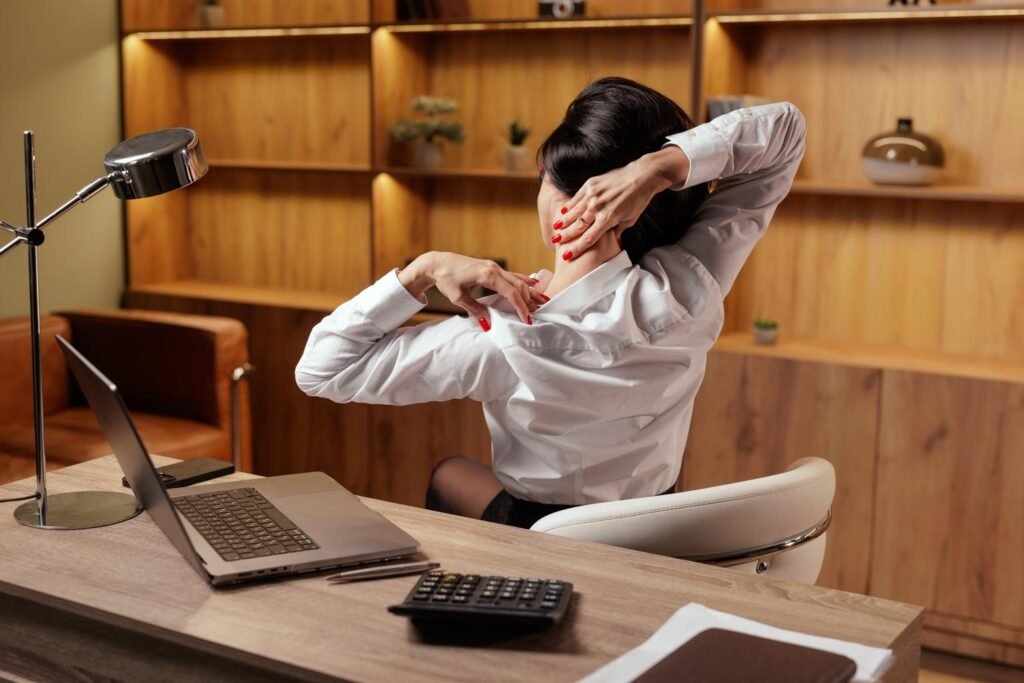
Even the best chair cannot replace movement.
The 30-Minute Movement Rule
Try to stand or move every 30 minutes.
Even short breaks improve circulation and reduce muscle fatigue.
Quick Standing Breaks That Help
Simple movements include:
- standing and stretching
- walking around the room
- light squats or leg stretches
These small habits help prevent stiffness.
Five Desk Stretches for Lower Back Relief
Seated Spinal Twist
Twist your torso gently while seated to release tension in the lower back.
Hip Flexor Stretch
Step one foot forward and lower your back knee to stretch tight hip muscles.
Cat-Cow Stretch
Arch and round your back slowly to improve spinal mobility.
Maintaining Proper Posture Throughout the Day
Always remember the basics:
- feet flat on the floor
- back supported
- shoulders relaxed
- monitor at eye level
Hydration and Core Awareness
Hydration supports spinal disc health.
Engaging your core muscles while sitting can also help stabilize the spine and reduce back strain.
Conclusion
Preventing lower back pain while sitting is often about small adjustments rather than major changes.
Improving chair positioning, optimizing desk setup, and taking regular movement breaks can significantly reduce strain on the spine.
By making these simple ergonomic improvements, you create a workspace that supports your body instead of working against it.
Your back will thank you for the difference.
Medical Disclaimer
This article is for informational purposes only and does not constitute medical advice. Always consult a qualified healthcare professional before starting any treatment, exercise program, or ergonomic changes related to pain or medical conditions.